View Issue Details
| ID | Project | Category | View Status | Date Submitted | Last Update |
|---|---|---|---|---|---|
| 0000548 | T99X171.00 SKB Eagle | SW | public | 2019-03-12 12:07 | 2021-12-23 17:23 |
| Reporter | (ALTech) SY Yoon | Assigned To | Due Date | 2019-03-15 12:36 | |
| Priority | high | Severity | s2-severe | Reproducibility | have not tried |
| Status | closed | Resolution | duplicate | ||
| Summary | 0000548: ATT - Android security violence check | ||||
| Description | I asked to TV Storm about API for ATT. They say that there are some security issues to run ATT. Please check the contents of page 28 of attached document. When you boot from a USB port with a flash drive, Specific script files on flash drive should be able to run, and the scripts performed should be able to copy and execute daemons to specific areas of STB. TV Storm said that Android TV cannot support above requirement. If it cannot supported on ANDROID TV, we cannot support it. Please we can support it, then I will ask API for ATT to TV Storm. If there is any issue to support it due to Android TV policy, then I will inform it to SKB. | ||||
| Tags | No tags attached. | ||||
| Attach Tags | |||||
| related to | 0000770 | closed | (SW) Bcan Yeh | [Eagle][Common] ATT Implementation |
| User List |
|
|---|
|
|
|
|
|
Hi Bcan, Please check this issue with internal team first. |
|
|
About the 'Daemon installation' item that you mentioned in the document 'STB ATT SystemInterconnectProtocol_v7.0.pttx', there will be a security issue if TVS implements it with the same way according to the description. We think that it would be better to do 'Daemon installation' with an apk. Details are described in Q1 below. And we have a few questions about how to cooperate with TVS in the aging test procedure. We also list our ideas about these questions. Please help to forward these questions to TVS or HM solution. If there are other documents for developing functions and getting parameters for aging test, please provide it to us. *********** Foxconn use a different method on Android TV *********** Q1. How to install and delete STB daemon? => There should be a daemonManager.apk prebuilt in the fw. It is responsible for installing and deleting the daemon. And the daemon is also an apk. Q2. How to check and update fw? => The daemonManager.apk will also handle it. *********** Questions to TVS *********** Q3. How to revoke authentication? => Please provide the detail steps (e.g. delete some file?) or API. Q4. How to unlock parental control? => Please provide the detail steps or API. Q5. How to prohibit auto-upgrade? => Please provide the detail steps or API. Q6. Who should control the LED in the aging test procedure? => Will TVS provide API for controlling the LED? Should we control the LED directly? Is it possible that the LED is controlled by both sides at the same time? Q7. How to do 'Authentication'? => Please provide the detail steps or API. Q8. How to do 'Update Channel'? => Please provide the detail steps or API. Q9. How to do 'Change realtime broadcast channel'? => Please provide the detail steps or API. Q10. How to do 'Start VoD Service'? => Please provide the detail steps or API. Q11. How to keep the daemon after factory reset? => In Android TV, it's hard to do that. Does TVS have any experience on that with KAON? *********** Question to TVS or HM Solution *********** Q12. The document said that the STB Daemon will receive LOGIN command, but we can't find this step in other pages. There is only a LOGIN ACK that STB need to send it to PC. The procedure of aging test and screen adjustment also confuses us. Please describe this in more detail. Q13. Do we really need to reboot devices during the aging test procedure? => Can we skip reboot step? Or a fake reboot? |
|
|
Hi Mr. Yoon, Could you kindly check if Foxconn method works and accept by SKB and then we can go proceed the development? *********** Foxconn use a different method on Android TV *********** Q1. How to install and delete STB daemon? => There should be a daemonManager.apk prebuilt in the fw. It is responsible for installing and deleting the daemon. And the daemon is also an apk. Q2. How to check and update fw? => The daemonManager.apk will also handle it. |
|
|
Hi, Mr. Jacky Chiang, I answer on your questions. On Q1 and Q2 : We checked other vendors how they install and uninstall ATT daemon in STB. In case of Kaon that they use android O, They installl deamon on USB. And STB read that deamon and run when USB inserted. Their deamon use some temporal file to handle STEP in STB. So this temporal file should be deleted after use. In case of AI2 STB that they use AOSP based on android P, STB Firware has ATT SW. HM Solution didn't know it can be used for ATT or not. It should be decided by SKB. I will check it. To use ATT mode, USB should be inserted in AI2 STB. This ATT SW use temporal file to handle STEP. So this temporal file should be deleted after use. Especially in this case, if there is some issues in ATT SW and if you fix it, then this new Firmware apply new BMT. So factory cannot use when new firmware finish BMT and google certification. This is very critical weak point. *********** Questions to TVS *********** Q3. How to revoke authentication? => Delete directory "/btv_home/config". Q4. How to unlock parental control? => Delete directory "/btv_home/config". Q5. How to prohibit auto-upgrade? => TV Storm doesn’t know how they set it. Normally STB has the latest SW Version. In this case, STB cannot upgrade Q6. Who should control the LED in the aging test procedure? => TVS said that they didn’t provide anything to vendor for ATT. I think LED function was implemented by Foxconn. And TVS MW handle LED whenever status changed. That means they didn’t change LED if ethernet is disconnected during the test. So Foxconn can change LED color directly Q7. How to do 'Authentication'? => After invoke Authentication, authentication screen will show after reboot. If you don’t want to reboot, then kill process as following sequence. com.tvstorm.tv.system com.skb.tv Then, TV Shows authentication screen. PC will send birth date and authentication code to STB. Input birth data and authentication code on authentication screen. Q8. How to do 'Update Channel'? => HM Solution use it for other purpose, not update channel. Please refer 2.3.1 Communication Protocol Type 1/2. There is RCU control scenario in communication protocol. So STB should be worked as if STB received RCU command as scenario. Q9. How to do 'Change realtime broadcast channel'? =>Please refer 2.3.1 Communication Protocol Type 1/2. There is RCU control scenario in communication protocol. So STB should be worked as if STB received RCU command as scenario. Q10. How to do 'Start VoD Service'? => Please refer 2.3.1 Communication Protocol Type 1/2. There is RCU control scenario in communication protocol. So STB should be worked as if STB received RCU command as scenario. Q11. How to keep the daemon after factory reset? => It is OK that the daemon deleted after factory reset, *********** Question to TVS or HM Solution *********** Q12. The document said that the STB Daemon will receive LOGIN command, but we can't find this step in other pages. There is only a LOGIN ACK that STB need to send it to PC. The procedure of aging test and screen adjustment also confuses us. Please describe this in more detail. Q13. Do we really need to reboot devices during the aging test procedure? => Can we skip reboot step? Or a fake reboot ? Some changes can be activated after reboot. And Server needs same sequence for all other vendor. So HM Solution asked us to keep current sequence. |
|
|
Hi Mr.Yoon, On Q1 and Q2 : We checked other vendors how they install and uninstall ATT daemon in STB. In case of Kaon that they use android O, They installl deamon on USB. And STB read that deamon and run when USB inserted. Their deamon use some temporal file to handle STEP in STB. So this temporal file should be deleted after use. In case of AI2 STB that they use AOSP based on android P, STB Firware has ATT SW. HM Solution didn't know it can be used for ATT or not. It should be decided by SKB. I will check it. To use ATT mode, USB should be inserted in AI2 STB. This ATT SW use temporal file to handle STEP. So this temporal file should be deleted after use. Especially in this case, if there is some issues in ATT SW and if you fix it, then this new Firmware apply new BMT. So factory cannot use when new firmware finish BMT and google certification. This is very critical weak point. Foxconn: In both cases described above, there must be some program or code about ATT in the STB firmware. Because we didn't do that in FW r43, the STBs need to be upgraded to another FW with ATT function before doing ATT test. *********** Questions to TVS *********** Q3. How to revoke authentication? => Delete directory "/btv_home/config". Q4. How to unlock parental control? => Delete directory "/btv_home/config". Foxconn: (Q3,Q4) It looks like that deleting directory "/btv_home/config" could revoke authentication and unlock parental control at the same time. Can we just do "revoke authentication" or "unlock parental control" only? In the flow chart of page 3, there is a step to do "revoke authentication" only. We are not sure that is it OK to delete directory "/btv_home/config" and thus "unlock parental control" will be done at the same time in the step. Q5. How to prohibit auto-upgrade? => TV Storm doesn’t know how they set it. Normally STB has the latest SW Version. In this case, STB cannot upgrade Foxconn: 1. Does the auto-upgrade means FW upgrade? 2. Prohibit auto-upgrade from USB disk or network? 3. It's still possible that the STB is not running the latest FW. We need to do that for few cases. Q6. Who should control the LED in the aging test procedure? => TVS said that they didn’t provide anything to vendor for ATT. I think LED function was implemented by Foxconn. And TVS MW handle LED whenever status changed. That means they didn’t change LED if ethernet is disconnected during the test. So Foxconn can change LED color directly Foxconn: OK, we will disable LED controling from TVS and control the LED directly if necessary. Should we blink the LED during all the aging test? I heard that from Kerwin but there is not much information in the document 'STB ATT SystemInterconnectProtocol_v7.0.pptx' . Could you help to get more information about the LED behaviors during the aging test. Q7. How to do 'Authentication'? => After invoke Authentication, authentication screen will show after reboot. If you don’t want to reboot, then kill process as following sequence. com.tvstorm.tv.system com.skb.tv Then, TV Shows authentication screen. PC will send birth date and authentication code to STB. Input birth data and authentication code on authentication screen. Foxconn: Please refer to the attached picture pic.png . It's the login page of eagle. Is it also the "Authentication screen" of the aging test? Where and how do we get the ip/port of the management server? Q11. How to keep the daemon after factory reset? => It is OK that the daemon deleted after factory reset, Foxconn: Can we use the space under /btv_home ? Is there any limitation of using it? We want to save some data of aging test in that space. *********** Question to TVS or HM Solution *********** Q12. The document said that the STB Daemon will receive LOGIN command, but we can't find this step in other pages. There is only a LOGIN ACK that STB need to send it to PC. The procedure of aging test and screen adjustment also confuses us. Please describe this in more detail. Foxconn: Could you help to get more information about the question? |
|
|
|
|
|
Hi Mr.Yoon, I have some other questions. Please help to forward these to TVS or HM solution. ps. pX means the Xth page of the document 'STB ATT SystemInterconnectProtocol_v7.0.pptx'. ***************************************************************************** 1. Authentication How to input the account/password for authentication ? How does the daemon know the result of authentication ? Are there APIs for that ? 2. (p11)MANAGER-CODE of OPTION How and where to use the MANAGER-CODE of OPTION ? 3. (p15)STATUS What does the video type ADV mean ? How to get the VIDEO-KIND (video type) ? How to get the ERROR-CODE ? 4. (p16)INFO CHANNEL-VER: How to get it? CHANNEL-UPDATE-DATE: How to get it? HDD: Does the daemon have to collect HDD info of all partitions and sum them up? SETUP-LOGOUT: Is it "TRUE" for not authenticated now? SETUP-CHILDREN-LIMIT: Is it "TRUE" for that the parental lock is locked now? SETUP-AUTOUPGRADE-PROHIBITION: Is it "TRUE" for that auto-upgrade is prohibited? SDCARD: Will this field be used in eagle? 5. (p20)REBOOT According to section 3 (p25,p26), REBOOT_STEP could be sent to PC through the management server. Does the daemon really need to send REBOOT-STEP to PC directly with the MSG-KIND:REBOOT ? 6. (p25,p26)Management Server Communication How does the daemon get ip/port of the management server ? STB_SW-VER: Is this the FW version (e.g. 15.502.43) ? STB_PARTIAL_VER: Is this the value of /btv_home/config/partialPatchNum.dat ? STB_MODEL: Is this "BFX-AT100" ? |
|
|
Hi Mr. Bcan Yeh, On Q1 and Q2 : We checked other vendors how they install and uninstall ATT daemon in STB. In case of Kaon that they use android O, They installl deamon on USB. And STB read that deamon and run when USB inserted. Their deamon use some temporal file to handle STEP in STB. So this temporal file should be deleted after use. In case of AI2 STB that they use AOSP based on android P, STB Firware has ATT SW. HM Solution didn't know it can be used for ATT or not. It should be decided by SKB. I will check it. To use ATT mode, USB should be inserted in AI2 STB. This ATT SW use temporal file to handle STEP. So this temporal file should be deleted after use. Especially in this case, if there is some issues in ATT SW and if you fix it, then this new Firmware apply new BMT. So factory cannot use when new firmware finish BMT and google certification. This is very critical weak point. Foxconn: In both cases described above, there must be some program or code about ATT in the STB firmware. Because we didn't do that in FW r43, the STBs need to be upgraded to another FW with ATT function before doing ATT test. ALT : So we should develop ATT SW before launch AOSP model. It is better to apply ATT function when we prepare ATV SW update. *********** Questions to TVS *********** Q3. How to revoke authentication? => Delete directory "/btv_home/config". Q4. How to unlock parental control? => Delete directory "/btv_home/config". Foxconn: (Q3,Q4) It looks like that deleting directory "/btv_home/config" could revoke authentication and unlock parental control at the same time. Can we just do "revoke authentication" or "unlock parental control" only? In the flow chart of page 3, there is a step to do "revoke authentication" only. We are not sure that is it OK to delete directory "/btv_home/config" and thus "unlock parental control" will be done at the same time in the step. ALT : TV Storm guided more detail. If you delete “/btv_home/config/devid.dat” and “/btv_home/config/ tvservice-system-properties.xml” files and reboot then you can see authentication screen. But Parental control setting is in “/btv_home/config/ tvservice-system-properties.xml” file too. So you should delete both at the same time. And HM Solution said it is OK. Q5. How to prohibit auto-upgrade? => TV Storm doesn’t know how they set it. Normally STB has the latest SW Version. In this case, STB cannot upgrade Foxconn: 1. Does the auto-upgrade means FW upgrade? 2. Prohibit auto-upgrade from USB disk or network? 3. It's still possible that the STB is not running the latest FW. We need to do that for few cases. ALT : auto-upgrade means FW upgrade. Normally it means SW upgrade by OTA(FTP) If we don’t have any function for disable SW upgrade, then other vendors do following action. - Measure the time when SW upgrade message on the screen after boot. - Input RCU command ”Exit or Cancel” in ATT deamon after measured time. Q6. Who should control the LED in the aging test procedure? => TVS said that they didn’t provide anything to vendor for ATT. I think LED function was implemented by Foxconn. And TVS MW handle LED whenever status changed. That means they didn’t change LED if ethernet is disconnected during the test. So Foxconn can change LED color directly Foxconn: OK, we will disable LED controling from TVS and control the LED directly if necessary. Should we blink the LED during all the aging test? I heard that from Kerwin but there is not much information in the document 'STB ATT SystemInterconnectProtocol_v7.0.pptx' . Could you help to get more information about the LED behaviors during the aging test. ALT : We have only one LED. HM solution said that - Insert USB. It contain to install ATT Deamon on STB. - After installation Daemon and Run ATT deamon. - Deamon is ready, then it start blink LED until USB removal. We can choose LED color. I think White is OK. Q7. How to do 'Authentication'? => After invoke Authentication, authentication screen will show after reboot. If you don’t want to reboot, then kill process as following sequence. com.tvstorm.tv.system com.skb.tv Then, TV Shows authentication screen. PC will send birth date and authentication code to STB. Input birth data and authentication code on authentication screen. Foxconn: Please refer to the attached picture pic.png . It's the login page of eagle. Is it also the "Authentication screen" of the aging test? Where and how do we get the ip/port of the management server? ALT : I think you can emulate RCU key input. It should be use for many test scenarios. Some tests provide RCU scenario. So you should emulate RCU key input for it. Q11. How to keep the daemon after factory reset? => It is OK that the daemon deleted after factory reset, Foxconn: Can we use the space under /btv_home ? Is there any limitation of using it? We want to save some data of aging test in that space. ALT : You can use the space under /btv_home. If you save your data on /btv_home/tmp, then it will be deleted whenever STB reboot. *********** Question to TVS or HM Solution *********** Q12. The document said that the STB Daemon will receive LOGIN command, but we can't find this step in other pages. There is only a LOGIN ACK that STB need to send it to PC. The procedure of aging test and screen adjustment also confuses us. Please describe this in more detail. Foxconn: Could you help to get more information about the question? ALT : Please let me know which page do you need more information. Do you mean 2.3.1 communication Protocol Type 1/2 (page 9)? --------------------------------------------------------------------------------------------------------- I answered your Additional Questions as follows. 1. Authentication How to input the account/password for authentication ? [ALT] I think use “input keyevent” command to emulate RCU. How does the daemon know the result of authentication ? Are there APIs for that ? [ALT] If you delete “/btv_home/config/devid.dat” and “/btv_home/config/ tvservice-system-properties.xml” files to revoke authentication, you can check to authentication whether there is “devid.dat” in “/btv_home/config/”. To get above file, you input birth date, authentication code and 2 Oks. 2. (p11)MANAGER-CODE of OPTION How and where to use the MANAGER-CODE of OPTION ? [ALT] Normally there is no STB use this now. It is SKB Factory default hidden code. We can revoke authentication, so we don’t need it. 3. (p15)STATUS What does the video type ADV mean ? It means advertisement. How to get the VIDEO-KIND (video type) ? PC sent some “COMMAND-KIND”. It has 10 command-kinds. So if command-kind is Channel, then VIDEO_KIND is Realtime(LiveTV) If command-kind is VOD, then VIDEO_KIND is VOD. How to get the ERROR-CODE ? HM Solution didn’t use it right now. So please input 0 always. 4. (p16)INFO CHANNEL-VER: How to get it? [ALT] SKB doesn’t manage it. So please left it blank. CHANNEL-UPDATE-DATE: How to get it ? [ALT] SKB doesn’t manage it. So please left it blank. HDD: Does the daemon have to collect HDD info of all partitions and sum them up? 총 eMMC size (단위는 GiGa) [ALT] HM Solution asked us to input our eMMC size. We use 8GB eMMC. So input 8. SETUP-LOGOUT: Is it "TRUE" for not authenticated now? True for unauthenticated state SETUP-CHILDREN-LIMIT: Is it "TRUE" for that the parental lock is locked now? True for unlock SETUP-AUTOUPGRADE-PROHIBITION: Is it "TRUE" for that auto-upgrade is prohibited? True for auto-upgrade prohibited SDCARD: Will this field be used in eagle? No. but, return True 5. (p20)REBOOT According to section 3 (p25,p26), REBOOT_STEP could be sent to PC through the management server. Does the daemon really need to send REBOOT-STEP to PC directly with the MSG-KIND:REBOOT ? [ALT] 2.4.6 Reboot : STB sends Reboot-step to PC before reboot. HM Solution said that it needed. 6. (p25,p26)Management Server Communication How does the daemon get ip/port of the management server ? [ALT] HM Solution said that they use “https”, so they don’t need to add port no.(Https use port no. 443) I added sample URL information below. It is sample URL for test. And it should be change to SKB server when it use for factory. So this URL information should located in USB to change easily. STB_SW-VER: Is this the FW version (e.g. 15.502.43) ? Yes STB_PARTIAL_VER: Is this the value of /btv_home/config/partialPatchNum.dat ? Yes STB_MODEL: Is this "BFX-AT100" ? Yes It is a sample of STB Deamon communication for test https://www.hmit.co.kr/control/stbinfo_insert_test.asp?STB_MAC=001122334455&STB_IP=111.222.111.111&AUTHENTICATION=0&REBOOT_STEP=1&STB_SW_VER=1.1.1.1&STB_PARTIAL_VER=0.0.0.1&STB_MODEL=AAA-AI600&DAEMON_VER=190614 It is a sample of STB ATT Program communication https://www.hmit.co.kr/control/stbinfo_query_test.asp?STB_MAC=001122334455 If you have any question, please let us know. |
|
|
Hi Mr.Yoon, ******************************************************************** Q5. How to prohibit auto-upgrade? => TV Storm doesn’t know how they set it. Normally STB has the latest SW Version. In this case, STB cannot upgrade Foxconn: 1. Does the auto-upgrade means FW upgrade? 2. Prohibit auto-upgrade from USB disk or network? 3. It's still possible that the STB is not running the latest FW. We need to do that for few cases. ALT : auto-upgrade means FW upgrade. Normally it means SW upgrade by OTA(FTP) If we don’t have any function for disable SW upgrade, then other vendors do following action. - Measure the time when SW upgrade message on the screen after boot. - Input RCU command ”Exit or Cancel” in ATT deamon after measured time. Foxconn: We don't think that's a good way. There might be unexpected cases happened with sending "Exit or Cancel" after a measured time. We checked that auto-upgrade is processed through the apk whose package name is "com.tvstorm.tv.upgradeservice". It looks like an app from TVS. Please help to find an api or a flag to prohibit auto-upgrade. Q6. Who should control the LED in the aging test procedure? => TVS said that they didn’t provide anything to vendor for ATT. I think LED function was implemented by Foxconn. And TVS MW handle LED whenever status changed. That means they didn’t change LED if ethernet is disconnected during the test. So Foxconn can change LED color directly Foxconn: OK, we will disable LED controling from TVS and control the LED directly if necessary. Should we blink the LED during all the aging test? I heard that from Kerwin but there is not much information in the document 'STB ATT SystemInterconnectProtocol_v7.0.pptx' . Could you help to get more information about the LED behaviors during the aging test. ALT : We have only one LED. HM solution said that - Insert USB. It contain to install ATT Deamon on STB. - After installation Daemon and Run ATT deamon. - Deamon is ready, then it start blink LED until USB removal. We can choose LED color. I think White is OK. Foxconn: When should testers remove the USB disk? According to the item "Check USB Port" of p29, it seems that testers should remove the USB disk after installing the daemon. And the aging test procedure will go ahead after removing the USB disk. Is that correct? Q12. The document said that the STB Daemon will receive LOGIN command, but we can't find this step in other pages. There is only a LOGIN ACK that STB need to send it to PC. The procedure of aging test and screen adjustment also confuses us. Please describe this in more detail. Foxconn: Could you help to get more information about the question? ALT : Please let me know which page do you need more information. Do you mean 2.3.1 communication Protocol Type 1/2 (page 9)? Foxconn: We mean the section 4.1 (p27). Please refer to p27 and find LOGIN string. We don't understand where does the LOGIN command come from before, and now we know that it comes from the data of OPTION. Is that correct? But we are still confused about the content of p27. - What is the purpose of "screen adjustment" ? What does "screen adjustment" do exactly ? We can't find any action that's related to adjusting screen. - What is the life cycle of "screen adjustment" ? It looks like that "screen adjustment" should start between "STB Inform." and "Authentication". Right? And when shoud we stop "screen adjustment" ? - Who will implement "screen adjustment" ? Are there APIs to start or stop "screen adjustment" ? - Is "Screen Adjustment Scenario" also a combination of keys and time delays? - The first sentence says "Smart STB display the menu that requests screen adjustment when booting after factory reset or full patch.". Should the daemon display the menu? What is the look of the menu? The timing of displaying the menu is strange. After factory reset or full patch? - Another sentence of the green block says "The screen adjustment menu should be displayed when it installed in the customer's house.". This makes us more confused. We thought that "screen adjustment" is a part of the aging test. Should the aging test be run in the customer's house? This page (p27) confused us so much. Please provide more information about that. |
|
|
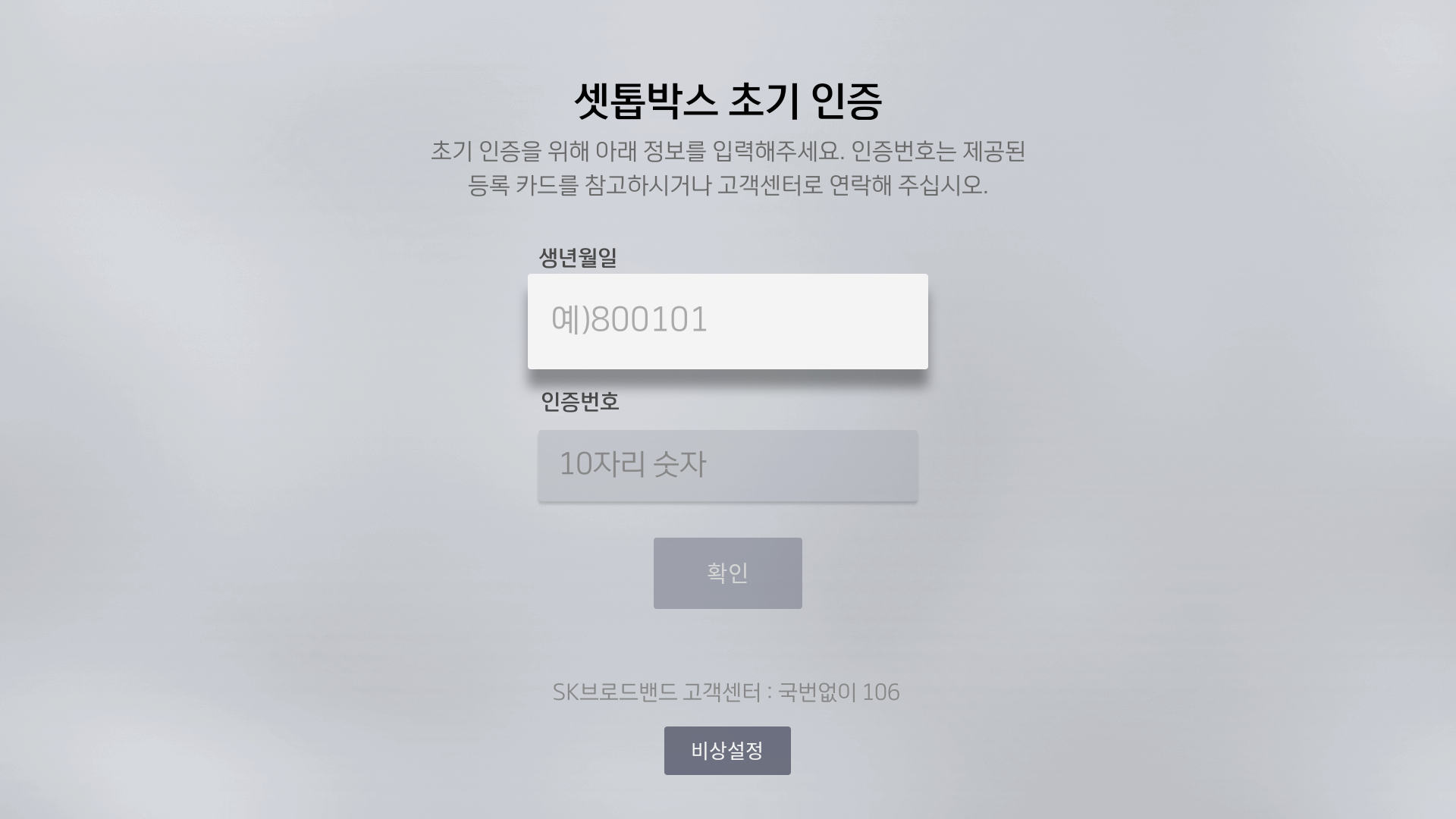
Hi Bcan Yeh, Q5. How to prohibit auto-upgrade? Foxconn: We don't think that's a good way. There might be unexpected cases happened with sending "Exit or Cancel" after a measured time. We checked that auto-upgrade is processed through the apk whose package name is "com.tvstorm.tv.upgradeservice". It looks like an app from TVS. Please help to find an api or a flag to prohibit auto-upgrade. ALT : We asked TV Storm before, but they said that they don't know about it. So HM Solution said that ATT send RCU command "Cancel or exit in sutitable time" in case of other vendors. Q6. Who should control the LED in the aging test procedure? Foxconn: When should testers remove the USB disk? According to the item "Check USB Port" of p29, it seems that testers should remove the USB disk after installing the daemon. And the aging test procedure will go ahead after removing the USB disk. Is that correct? ALT : Tester remove USB when LED blink. LED should be blink after deamon is installed. Q12. The document said that the STB Daemon will receive LOGIN command, but we can't find this step in other pages. There is only a LOGIN ACK that STB need to send it to PC. The procedure of aging test and screen adjustment also confuses us. Please describe this in more detail. Foxconn: We mean the section 4.1 (p27). Please refer to p27 and find LOGIN string. We don't understand where does the LOGIN command come from before, and now we know that it comes from the data of OPTION. Is that correct? But we are still confused about the content of p27. - What is the purpose of "screen adjustment" ? What does "screen adjustment" do exactly ? We can't find any action that's related to adjusting screen. - What is the life cycle of "screen adjustment" ? It looks like that "screen adjustment" should start between "STB Inform." and "Authentication". Right? And when shoud we stop "screen adjustment" ? - Who will implement "screen adjustment" ? Are there APIs to start or stop "screen adjustment" ? - Is "Screen Adjustment Scenario" also a combination of keys and time delays? - The first sentence says "Smart STB display the menu that requests screen adjustment when booting after factory reset or full patch.". Should the daemon display the menu? What is the look of the menu? The timing of displaying the menu is strange. After factory reset or full patch? - Another sentence of the green block says "The screen adjustment menu should be displayed when it installed in the customer's house.". This makes us more confused. We thought that "screen adjustment" is a part of the aging test. Should the aging test be run in the customer's house? This page (p27) confused us so much. Please provide more information about that. ALT : LOGIN string : It is received from ATT Program. And Deamon send STB information to ATT Program and execute authentication process. This Login command is get in “OPTION” Stage in page 4. Screen Adjustment : Old STB of SKB has screen adjustment menu when STB boot. So they called it screen adjustment, but our ATV and AOSP model don’t have it. But in case of ATV, it has Google welcome kit when it boot at first. And AOSP don’t have this kind of menu. So screen adjustment menu means that all menu before authentication process. Life cycle of Screen adjustment : It start when STB boot after factory reset. And it finished before authentication screen. ATT SW think that the first stage of STB is authentication stage. This stage shows authentication screen. So you should make STB skip the google welcome kit stage. Can you do this ? Who will implement "screen adjustment" ? You don’t care it. It already implemented in the STB.(In ATV model, it is android welcome kit.) "Screen Adjustment Scenario" also a combination of keys and time delays? It is android welcome kit The first sentence says "Smart STB display the menu that requests screen adjustment when booting after factory reset or full patch.". Should the daemon display the menu? No. It shows by STB SW.. In case of ATV, it is android welcome kit. Should the aging test be run in the customer's house? No. ATT is for factory, not customer. |
|
|
Hi Mr.Yoon, ****************************************************************************** Q6. Who should control the LED in the aging test procedure? Foxconn: When should testers remove the USB disk? According to the item "Check USB Port" of p29, it seems that testers should remove the USB disk after installing the daemon. And the aging test procedure will go ahead after removing the USB disk. Is that correct? ALT : Tester remove USB when LED blink. LED should be blink after deamon is installed. Foxconn: According to all answers you provided before. Our understanding is that 1. Insert a USB disk. 2. Install the STB ATT Daemon. 3. The STB starts blinking the LED after the STB ATT Daemon is installed. 4. The tester removes the USB disk when the LED is blinking. 5. The STB stops blinking the LED after the USB disk is removed. 6. It goes to the next step of the ATT procedure after the USB disk is removed. Is it correct? Q12. The document said that the STB Daemon will receive LOGIN command, but we can't find this step in other pages. There is only a LOGIN ACK that STB need to send it to PC. The procedure of aging test and screen adjustment also confuses us. Please describe this in more detail. ALT : LOGIN string : It is received from ATT Program. And Deamon send STB information to ATT Program and execute authentication process. This Login command is get in “OPTION” Stage in page 4. Screen Adjustment : Old STB of SKB has screen adjustment menu when STB boot. So they called it screen adjustment, but our ATV and AOSP model don’t have it. But in case of ATV, it has Google welcome kit when it boot at first. And AOSP don’t have this kind of menu. So screen adjustment menu means that all menu before authentication process. Life cycle of Screen adjustment : It start when STB boot after factory reset. And it finished before authentication screen. ATT SW think that the first stage of STB is authentication stage. This stage shows authentication screen. So you should make STB skip the google welcome kit stage. Can you do this ? Who will implement "screen adjustment" ? You don’t care it. It already implemented in the STB.(In ATV model, it is android welcome kit.) "Screen Adjustment Scenario" also a combination of keys and time delays? It is android welcome kit The first sentence says "Smart STB display the menu that requests screen adjustment when booting after factory reset or full patch.". Should the daemon display the menu? No. It shows by STB SW.. In case of ATV, it is android welcome kit. Should the aging test be run in the customer's house? No. ATT is for factory, not customer. Foxconn: It sounds like that the only thing we have to do is to skip all SetupWraith (Google welcome kit) steps and show the authentication screen for the AVT model STBs. We will try to make it. |
|
|
We will talk it via 0000770 regarding to ATT develop. this mantis is closed. |
|
|
hi bcan Mr.Yoon already sent to you at 10/11. I copy it here. and I open it again. please check this. I checked ATT Daemon after 24 hours from the installation. There is no below 2 files. AttRebootFlag AttTimeStamp Does ATTDaemon remove above 2 files when STB reboot ? And please answer below questions HM Solution said that if ATT Daemon exists in the STB, then it may use CPU load. Some SKB STB worked like this. So SKB checked it and remove Daemon App in the STB. But if our STB doesn’t have above 2 files in btv_home, then doesn’t ATTDaemon App work ? Does it mean that ATTDaemon doesn’t use CPU ? |
|
|
Hi Mr. Bcan Yeh, When will you provide new apk ? You said that it will be released after Wednesday this week. But I don't know your plan. I have another test application, and I will test it with new apk. And then I will provide this new apk to HM Solution. Please let me know when you release new APK. |
|
|
Hi Mr. Bcan Yeh, I tested new ATTDaemon.apk yesterday. Its version is 191021. I discussed current function with HM Solution. They asked to change our ATTDaemon as follows : 1. Insert USB during the test. As is : During ATT Test, we inserted USB that has ATT APK file. Then ATT test sequence is reset. To Be : After reboot, then ATT Deamon should be reinstall and test sequence is reset. Sometimes AttDeamon updated. So STB has old version of ATTDeamon. So ATTDeamon should be upgrade after reboot. 2. ATTDaemon.APK removal They recommended remove AttDaemon after test. SKB wants not to have AttDaemon.apk to their customer. Is it possible ? |
|
|
Hi Mr.Yoon, 1. I don't understand. Please describe it in detail steps. 2. The AttDaemon prebuilt in FW is a simple version. The AttDaemon in the USB disk is a full version. The simple version can not run ATT test procedure. The simple version can only detect the USB disk and update itself with the full version. The full version one can run ATT test procedure. After the ATT test, only the simple version will be left in the box. The above is current state. I think it's OK for SKB's requirement. |
|
|
HI Bcan.Yeh when we support for ATT Daemon program, I investigate which function of TVstorm is used for 4.2 Middleware part. as you know it, we are working for Android 10 with SPtek for SKB MW. SPtek wants to know which function is called for 4.2 middleware port in ATT Daemon in android P. If you don't catch my comment, please let me know it. Thanks |
|
|
Hi Mr. Park, I will check it and let you know what we need to run AttDaemon in android 10. |
|
|
Hi Mr.Park, After checking AttDaemon, there are some functions those need support from SPTek. 1. Prohibit auto-upgrade => In android 9, we just stop running package 'com.tvstorm.tv.upgradeservice'. In android 10, how to prohibit auto-upgrade? Can we just stop 'com.skb.btv.upgrade'? 2. READ_PTS In the steps 'Check realtime Broadcast' and 'Check VoD Broadcast', AttDaemon needs to get VIDEO-PTS/AUDIO-PTS form MW and sent it to STB ATT program. In android 9, MW provide VIDEO-PTS/AUDIO-PTS through FIFO (/data/btv_home/run/att_fifo0). In android 10, how to get VIDEO-PTS/AUDIO-PTS ? |
|
|
hi Bcan Yeh we move to below link for Q&A. and close it https://jira.skbroadband.com/browse/BFXBTF-108 |
| Date Modified | Username | Field | Change |
|---|---|---|---|
| 2019-03-12 12:07 | (ALTech) SY Yoon | New Issue | |
| 2019-03-12 12:07 | (ALTech) SY Yoon | Status | new => assigned |
| 2019-03-12 12:07 | (ALTech) SY Yoon | Assigned To | => (SW) Jacky Chiang |
| 2019-03-12 12:07 | (ALTech) SY Yoon | File Added: STB ATT SystemInterconnectProtocol_v7.0.pptx | |
| 2019-03-12 12:08 | (ALTech) SY Yoon | Issue Monitored: (SW) Kerwin Chen | |
| 2019-03-12 12:33 | (SW) Jacky Chiang | Assigned To | (SW) Jacky Chiang => (SW) Bcan Yeh |
| 2019-03-12 12:34 | (SW) Jacky Chiang | Note Added: 0001457 | |
| 2019-03-12 19:51 | (SW) Bcan Yeh | Note Added: 0001466 | |
| 2019-03-12 19:53 | (SW) Bcan Yeh | Assigned To | (SW) Bcan Yeh => (ALTech) SY Yoon |
| 2019-03-15 16:11 | (SW) Jacky Chiang | Note Added: 0001549 | |
| 2019-07-31 19:28 | (ALTech) SY Yoon | Note Added: 0002888 | |
| 2019-07-31 19:28 | (ALTech) SY Yoon | Assigned To | (ALTech) SY Yoon => (SW) Jacky Chiang |
| 2019-08-02 16:57 | (SW) Bcan Yeh | Note Added: 0002890 | |
| 2019-08-02 17:07 | (SW) Bcan Yeh | File Added: pic.png | |
| 2019-08-02 17:10 | (SW) Bcan Yeh | Assigned To | (SW) Jacky Chiang => (ALTech) SY Yoon |
| 2019-08-06 15:10 | (SW) Bcan Yeh | Note Added: 0002898 | |
| 2019-08-07 15:28 | (ALTech) SY Yoon | Note Added: 0002904 | |
| 2019-08-07 15:28 | (ALTech) SY Yoon | Assigned To | (ALTech) SY Yoon => (SW) Bcan Yeh |
| 2019-08-07 15:29 | (ALTech) SY Yoon | Issue Monitored: (ALTech) SY Yoon | |
| 2019-08-07 15:29 | (ALTech) SY Yoon | Issue End Monitor: (ALTech) SY Yoon | |
| 2019-08-07 15:29 | (ALTech) SY Yoon | Issue Monitored: (ALTech) Jason Park | |
| 2019-08-12 15:00 | (SW) Bcan Yeh | Note Added: 0002909 | |
| 2019-08-12 15:06 | (SW) Bcan Yeh | Assigned To | (SW) Bcan Yeh => (ALTech) SY Yoon |
| 2019-08-13 12:43 | (ALTech) SY Yoon | Note Added: 0002912 | |
| 2019-08-13 12:44 | (ALTech) SY Yoon | Assigned To | (ALTech) SY Yoon => (SW) Bcan Yeh |
| 2019-08-15 10:44 | (SW) Bcan Yeh | Note Added: 0002914 | |
| 2019-08-15 10:49 | (SW) Bcan Yeh | Assigned To | (SW) Bcan Yeh => (ALTech) SY Yoon |
| 2019-09-27 14:48 |
|
Relationship added | related to 0000770 |
| 2019-09-27 14:53 |
|
Note Added: 0003067 | |
| 2019-09-27 14:53 |
|
Status | assigned => acknowledged |
| 2019-10-15 09:42 |
|
Note Added: 0003094 | |
| 2019-10-15 09:42 |
|
Assigned To | (ALTech) SY Yoon => (SW) Bcan Yeh |
| 2019-10-15 09:42 |
|
Status | acknowledged => assigned |
| 2019-10-15 10:20 |
|
Note Edited: 0003094 | |
| 2019-10-15 13:26 |
|
Note View State: 0003094: private | |
| 2019-10-15 13:30 |
|
Status | assigned => resolved |
| 2019-10-15 13:30 |
|
Resolution | open => duplicate |
| 2019-10-18 10:24 | (ALTech) SY Yoon | Note Added: 0003120 | |
| 2019-10-23 10:46 | (ALTech) SY Yoon | Note Added: 0003135 | |
| 2019-10-23 13:56 | (SW) Bcan Yeh | Note Added: 0003136 | |
| 2019-10-23 13:56 | (SW) Bcan Yeh | Assigned To | (SW) Bcan Yeh => (ALTech) SY Yoon |
| 2020-09-23 14:17 |
|
Note Added: 0004431 | |
| 2020-09-23 14:17 |
|
Assigned To | (ALTech) SY Yoon => (SW) Bcan Yeh |
| 2020-09-23 14:17 |
|
Status | resolved => assigned |
| 2020-09-23 15:41 | (SW) Bcan Yeh | Note Added: 0004433 | |
| 2020-09-30 17:37 | (SW) Bcan Yeh | Note Added: 0004503 | |
| 2020-09-30 17:38 | (SW) Bcan Yeh | Assigned To | (SW) Bcan Yeh => (ALTech) Jason Park |
| 2020-10-17 07:59 |
|
Note Added: 0004647 | |
| 2021-12-23 17:23 | (SW) Jacky Chiang | Status | assigned => closed |